Thursday, December 11, 2008

Color Square Illusion


I saw this on the web and the description said that squares A and B were the same color. I thought it was a misprint as I knew that those two squares were not the same color.

I squinted. I moved across the room. I looked at it from extreme angles. I held up two strips of paper on my screen to block out the green rod and the other squares. They still looked like two different shades. I knew that those two colors were not the same.

I decided I would prove it and send a comment exposing this as an evil sham designed to strain the eyes of the unwary. I downloaded the picture from the site and opened it up in Photoshop.


  • Test One: Using the eyedropper tool I captured the hex color in each square. They were the same. I didn't believe it and did it again. Repeatedly. I found a slight variation in a few stray pixels, but for all practical purposes they were the same.
  • Test Two: Using the lasso tool, I captured a segment of square A and then pasted it into it's own layer. I then moved the square back and forth between the two squares. Freaky! It seemed to change color as I moved it.
  • Test Three: Using the lasso tool, I captured a segment of each square and pasted them onto their own layer. Then I hid the original picture and moved the two squares side by side. Without the original picture, they looked the same. My convictions were getting pretty shaky by now.
  • Test Four: I grabbed the color from square A and using the brush tool I painted the area between the two squares the same color. As I did this, suddenly, I could see they were the same. I no longer believe what I see.

I read the explanation on the site and it didn't make sense to me. In the comments section an anonymous poster wrote this:


"In the real world, this wouldn't be the same grey, as B square is in the shadow of the column, so our smart brain corrects what it receives from the eye and optic nerve, and tells us that B square "must" (should?) be lighter than A square."
That explanation makes a bit more sense to me than the more technical one on the site. Either way it is a fascinating illusion.

Update: Visited the original site today and they've added a couple of graphics that help you see that the two squares are the same. Must of had a bunch of non-believers write to say, "No way!"

[Image: Captured from Might Optical Illusions: http://www.moillusions.com/2006/03/colored-squares-illusion.html]

Wednesday, December 10, 2008

Car Efficiency and an Old Man's Buggy Memories

In 1978 I had a 1970 VW Beetle with 1972 engine. It was abysmally cold in the winter. It shook like a washing machine on spin cycle whenever I hit speeds of 70mph or higher. It really wasn't too great if I had more than one passenger as the back seat was pretty uncomfortable. It moved like a snail up steep roads.

I miss that car. It got twenty five to thirty miles to the gallon. When it broke down, I was able to fix it using a simple how-to manual and a small set of tools. It handled great in the snow and during some of the worst snow storms in Colorado, I was able to get out on snowy roads along with the jeeps and other four wheel drives to gather needed hot cocoa and other supplies. I haven't had a car that economical since I sold it in the mid-eighties.

I was thinking about that VW this morning as I got stuck in a snow bank in my Chevy truck which I've had about 9 years now. It has never done well in the snow regardless of how much sand I throw in the back. Twenty miles to the gallon is doing really, really good. I'm thinking of getting a new car (or a new used car) early next year. So, this article on the 10 Most Fuel Efficient Cars got my attention. They are according to the article:

10. Toyota Yaris
9. Three way tie between Ford Escape, Mercury Mariner and Mazda Tribute
8. Mini Cooper
7. Toyota Camry Hybrid
6. Nissan Altima Hybrid
5. Smart ForTwo
4. Honda Civic Hybrid
3. Toyota Prius
2. Honda FCX Clarity (hydrogen-electric)
1. Telsa Roadster


I have a friend who is lusting after a Telsa Roadster. But at $100,000 a pop, I'd have to drive it a whole lot of miles, even at 135 miles per gallon, to make it pay for itself. Personally, I am attracted to the Aptera. It isn't going to be available here in Colorado for a while. Maybe I could make due with a Yaris until then?

[Image: Grabbed this picture from a story posted on Car Lust called Our Cars---1969 Volkswagon Beetle. Go there to read another man's story about his bug. Mine had more rust of the fenders.]

Tuesday, December 9, 2008

Color Schemer Online v2


Here's another color palette generator I discovered recently: ColorSchemer-Online-v2.


What I like about this one is that it quickly creates a palette of 16 compatible colors. It doesn't give the fine control of some of the other color generators out there, but for my beginning level kids, this is a good place to start. Enter a hex code or the RGB numbers, press a button and "wal-lah", instant pallette.


Monday, December 8, 2008

IBM Five Innovations that will change our lives


Every year, or at least for the last three, IBM comes up with a list of five innovations they think will have the most impact on our lives within five years. This year the list includes:
  • Energy saving solar technology will be built into asphalt, paint and windows
  • You will have a crystal ball for your health
  • You will talk to the Web . . . and the Web will talk back
  • You will have your own digital shopping assistants
  • Forgetting will become a distant memory
Go to the article for a detailed explanation of each item. Or watch the video...


I don't remember hearing about these lists before, so I went online to look up the previous lists.

2007 Five in Five
  • It will be easy for you to be green and save money doing it
  • The way you drive will be completely different
  • You are what you eat, so you will know what you eat
  • Your cell phone will be your wallet, your ticket broker, your concierge, your bank, your shopping buddy and more
  • Doctors will get enhanced "super-senses" to better diagnose and treat you.

2006 Five in Five (We're only two years out from seeing these??? Still waiting for my phone to read my mind....or come close.)
  • We will be able to access health care remotely, from just about anywhere in the world
  • Real-time speech translation--once a vision only in science fiction--will become te norm
  • There will be a 3-D internet
  • Technologies the size of a few atoms will address areas of environmental importance
  • Our mobile phones will come close to reading our minds


[Image: ger01065.jpg | WITZ Konrad | Heilspiegel Altarpiece. Augustus & the Sibyl of the Tiber. | c.1435-1438 | Swiss | Gothic (Late) | | Basel. Switzerland. | | ©Kathleen Cohen | http://worldart.sjsu.edu/VieO4416?sid=9113&x=1971264]

Sunday, December 7, 2008

This Weeks Top Five

1. Popcicle Stick Bridge...again
2. Popsicle Stick Bridge Building
3. Homemade Spy Equipment
4. Son of Citation Machine
5. Funny: Bear with me for a moment
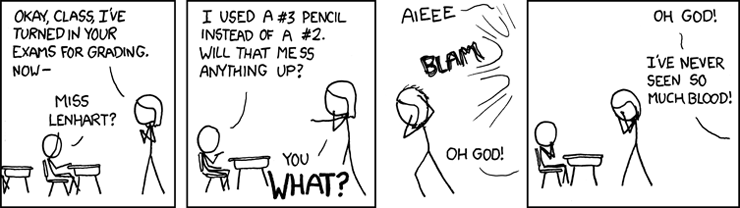
This last one is the only new thing to pop up in a while. I'm glad to see that one of my funny bits got more than one hit. I suspect folks were just searching for the xkcd site and ended up at my blog reading this one post. Afterwards, anxious for more stick figure humor, they scurried off to find the real deal. Who could blame them?

Friday, December 5, 2008

Funny: Chemists and Bangs


[http://www.nearingzero.net/master.html: ‘Cartoon by Nick D Kim, nearingzero.net. Used by permission.]

Thursday, December 4, 2008

PDF Undo


A teacher I work with was struggling to get some text off of a PDF document he was using in his History class and asked if I knew an easy way to accomplish this task. I knew I just recently had read something about a PDF converter but I didn't have anything like that in my bookmarks at work. I searched all my emails with no positive results. I told him I'd have to get back to him but I was pretty sure I had a resource of some kind.

Came home and still couldn't find any links on my office machine. So, I sat thinking where might I have seen a post about something like this. Then I said to my cat,
"Larry Ferlazzo's site! That has to be it."
My cat seemed impressed with my mental acuity and while she went back to licking her paws, I quickly went to Larry's site which I do have bookmarked and did a search. Sure enough I found the info about a program called PDF Undo. I tried converting several PDFs and they all came out perfect.

Thanks again Larry for helping promote the illusion to the people at work that I know everything. (Or perhaps it's the illusion that I think I know everything?)

[Image captured from PDF Undo: http://www.pdfundo.net]

Tuesday, December 2, 2008

Google Docs Goofs! Techer goofs that is...

Here are two minor issues I've run into using Google Docs in my classroom. Not big things, but minor headaches none-the-less. I had my Multimedia students create a Google Site. It was the first time I taught this in class and my students did great. My two snags occured as I started to grade the projects.

First, I had one class make me a collaborator. I figured I could just go to my account and then open each Site at my leisure. This worked fine. What I didn't anticipate was the volume of Sites in my account with no way to organize them into folders. So, I've now got 30 plus sites filling up the Sites section of my Google account. Not a big problem, just a bother. I wised up for my next class and had each of them email me the link to their site. This was much more manageable. I'm also now wondering if I need to have all my kids un-share me to get those sites out of my list?

Second, as part of the Sites assignment, they had to embed several Google docs into their pages. This worked...kind of. If they don't also share the doc with me, I can't see it. I get a message that says I don't have permission to view the document. This never occurred to me until I opened the first Site to grade. So, once again, a minor problem that I can fix by having them share the doc with me, but still, a bother.

Next time I give this lesson, it will be perfect! OK. Maybe not perfect but better.

[Image: Mashup of a screenshot from my Google Site and some eyes with a good dash of Photoshop. No restrictions on this. Use it if you want with my blessing.]

Google tracks the flu

The Official Google Blog had an interesting piece about tracking the number of flu cases based on the number of of related searches done through Google. They've found that they can predict where flu outbreaks will occur. As they state:

"The CDC does a great job of surveying real doctors and patients to accurately track the flu, so why bother with estimates from aggregated search queries? It turns out that traditional flu surveillance systems take 1-2 weeks to collect and release surveillance data, but Google search queries can be automatically counted very quickly. By making our flu estimates available each day, Google Flu Trends may provide an early-warning system for outbreaks of influenza."

This is kind of cool and thought provoking. What else can we predict about our society based on search trends?

[Image: Captured from Google Flu Trends: http://www.google.org/flutrends/]

Monday, December 1, 2008

Free Technology for Teachers


Stumbled on Richard Byrne's Free Technology for Teachers blog recently and I'm hooked. I appreciate how he first introduces an application and then clearly writes about the possible applications to education. I know that I have a tendency to enthusiastically promote something new before I've completely thought through how it might be implemented. I'll blather on about a new technology I've just seen or read about and my office-mate will smile and then politely ask, once I've stopped to take a breath,
"Yeah Al, that's cool, but when would I ever use something like that with my students."
He then slips out the door before I can come up with concrete examples.

Richard answers the question of usability before it is asked. I like that and I think you will too.

[Image: Original image captured "Discarded Computers Pose Risk to Groundwater": http://ag.arizona.edu/AZWATER/awr/septoct01/news.html: Modified by Al Gunn]

Sunday, November 30, 2008

This weeks top 5

Top three most frequented pages are pretty much the same.

1. Popsicle stick bridge again
2. Homemade spy equipment
3. Popsicle stick bridge building
4. Son of Citation Machine
5. Funny Famous Quotes

The last two must be reflective of all those research papers coming due before the end of this school term. Searchers looking to put together those bibliographies and filling out their text length with a few quotes ended up on my blog. Hope you all pass.

Thursday, November 27, 2008

Happy Thanksgiving

We had our traditional Thanksgiving dinner yesterday as my wife had to work today. It's one of the drawbacks of working in a hospital. Women have babies every day regardless of the holiday and the staff needs to be there every hour of every day all year long.

I'm sure the families of other folks who work in health care, law enforcement and the military understand the need to celebrate holidays on a slightly different schedule than everyone else. As I send my wife out the door with a cold turkey sandwich, I am thankful for her being my wife. Celebrating the holiday early is a small price to pay for having her in my life. I hope that who ever gets her as their nurse tonight will be thankful for her care.

Thanks to all of you who make these sacrifices to keep the rest of us healthy and safe.

[Image: Photograph of President Truman receiving a Thanksgiving turkey from members of the Poultry and Egg National Board and other representatives of the turkey industry, outside the White House. November 16, 1949: The National Archives: http://www.archives.gov/global-pages/larger-image.html?i=/press/press-releases/images/truman-thanksgiving-l.jpg&c=/press/press-releases/images/truman-thanksgiving.caption.html]

Wednesday, November 26, 2008

Google Forms

By far the most popular part of the Google Docs with the folks I work with is Forms. They have started popping up in all sorts of ways ever since we demonstrated this at a recent staff inservice. Including a mock election on Nov 4th to coincide with the national elections. Our Social Studies teachers copied the entire Colorado Ballot into a Forms doc and then brought all the kids down to a computer lab that day to vote. The votes were tallied instantly. Everyone involved thought it was extremely cool.

Saw on The Offical Google Docs Blog that they had included some new Form templates including this Website Feedback Survey I've embedded below. Go ahead and take the survey and I'll post the results so you can see how the information is tallied in a spreadsheet. I'll also take a few snapshots of some of the analytic tools so you can see the different ways you can look at your data.

If you haven't tried Forms yet, I highly recommend it.
=====================================


Previous Post on this Topic: Quick Forms using Google Docs


[Image captured from the Official Google Docs Blog: http://googledocs.blogspot.com/2008/11/new-forms-added-to-templates-gallery.html]

Tuesday, November 25, 2008

Google Calendar In Your Sidebar

I've been messing around with Google Docs a lot lately and stumbled across this great little tutorial on The Edublogger describing how to embed a small version of your Google Calendar in the sidebar of your web page. I had been just thinking about trying to figure this one out. I love it when someone saves me a few steps.

I'm working on getting my classroom pages organized in such a way as to be useful for my students and also manageable for me. I created them using Google Docs and have been playing with many of the built in features including embedded calendars. I'm experimenting a whole lot more than I might normally because I am also the resource person in my building for all things Google Docs. If you have looked at my pages the idea of me being a resource person might be a little scary. Right now my pages feel like a mish-mash of different gadgets. It's too much and I'm going streamline soon.

Maybe during the coming long weekend? A man can't spend 4 full days eating turkey. Can he?


[Image captured from "How to Embed a Google Calendar in Your Blog Sidebar": The Edublogger: http://theedublogger.edublogs.org/2008/10/27/how-to-embed-a-google-calendar-in-your-blog-sidebar/]

Monday, November 24, 2008

Using Google Docs in the Classroom


I've been using Google Docs in my classroom for a couple of months now and am still exploring how to best utilize it's capabilities. Saw this posting today and found several ideas I plan on trying including setting up a shared presentation like this one.


[via Google Docs Blog]
[Image captured from Google Docs Blog: http://googledocs.blogspot.com]

Sunday, November 23, 2008

This weeks top 5

I just checked to see which of my posts got the most hits this past week and here is the rundown.

1. Popsicle Stick Bridge...again

2. Popsicle Stick Bridge Building

Hmmmm... the second post is more popular than the first?


3. Homemade Spy Equipment
Just who are all you people spying on?

4. Prosthetic Arm Update

5. Articulated Werewolf Mask
OK....this is one of my favorites but why the sudden upsurge just before Thanksgiving? Does this reflect some sort of holiday confusion? Or am I behind the curve again on how to put on a great Thanksgiving get together?

Thursday, November 20, 2008

Google Docs Blocked

I was in a near by school district recently for a workshop. It was being held in a high school computer lab and when we broke to do our first assignment, I immediately went to Google Docs. I figured I could start the project in the class and then quickly pick up where I left off at home.

Except the district blocks Google Docs.

This lab was locked down tight. I couldn't use a thumb drive. I couldn't get to several sites I normally use every day. Other teachers couldn't access their school sites to grab information needed for the class. The instructor was at a loss at how to get her assignments from her portable drive to us through this school network. IT was called but it was a late night class and I'm pretty sure we were a low priority. Finally, someone suggested a proxy server to allow us to reach our email accounts. I'm sure it broke many school rules to use a proxy but it allowed us to continue on with our class.

I imagine this is the kind of wall of frustration many of our students hit when they try to work at school in the same way they work at home. We teachers resorted to the same thing that many of them do. Work around the system.

I was helping a student the other day in my school who was trying to grab some pictures he had stored on PhotoBucket which is blocked in my district. As soon as he discovered it was blocked, he pulled out his internet ready phone and went to the site where he then emailed the pictures to himself. He's not going to stop using Photobucket, he just is going to adjust his work flow.

I worry at the message we are sending our kids. I also struggle with trying to figure the right balance between protection and paranoia. Don't know the answer yet, but I am working on it.

[Original Image captured from http://www.apple.com/iphone/gallery/ and then altered in photoshp]

Wednesday, November 19, 2008

Improvised zoom lens

While vacationing in Monterrey, California recently I had the opportunity to try something out that's been on my mind. I had my digital camera and my binoculars in my hands at the same time so I decided to try and take a picture holding the camera up to the binoculars lens

The first picture you see here was taken using only my camera zoomed in all the way. The second was taken using the binoculars. It worked but it took multiple attempts to get it just right. It's tough to hold the two together and keep everything steady. I had a lot of blurred shots. You also have to line the two up perfectly. The bird didn't help by walking out of the frame.

I think a simple jig might do the trick here if I were to try this again. Something that could hold both in the same plain and free me up to focus and frame my shot.

Now if I only had a telescope.......


[Images all taken by Al Gunn and are free for the taking. No restrictions. No attributions. If you need a free picture of a sea gull than I'm your man!]