Showing posts with label teaching. Show all posts

Wednesday, April 21, 2010

Teacher Accountability

Friend sent me the link to this article, Teacher Accountability? It's About Time!
Here is one short quote from the piece about how we've stopped trusting teachers to evaluate our kids and turned to standardized tests instead.
"About a generation ago, acceptance of teacher judgment about the quality of student work began to disappear. Waving the "standards and accountability!" banner, leaders of business and industry convinced politicians that this generation's teachers (unlike those they remembered from their own schooling) couldn't be trusted to evaluate learner performance. Today's teachers, they were sure, suffered from "the soft bigotry of low expectations."

An interesting read.  Don't forget to read the comments for and against the author's point of view at the bottom.

Wednesday, March 24, 2010

Are Schools Dangerously Irrelevant?

Interesting talk by Scott McLeod.  He says the economic and information landscape is changing:
1.  Jobs that can be relocated where labor is cheaper will be relocated.
2.  Move from content consumer to content creator where we are hyper-connected with each other.

He then asks what are we doing about it in our schools?  To which he answers, for the most part, nothing.

Ends by asking the audience, "How do we prepare our kids for the next 50 years instead of the last 50 years?"

Good question!


Follow this up with a slideshow given by Scott to the NEA.   Elaborates on some of the previous points.  Also some good slides showing the shifts in jobs.

Thursday, March 18, 2010

Entertainment vs Engagement

Talk by Doug Johnson titled, Entertainment vs Engagement.

"I think too often we confuse those two terms (entertain and engage), when we think we should be entertaining, we should be engaging."
"Engagement has a learning component that goes with it."

Tuesday, March 16, 2010

Reasons for teaching Facebook in School

Stumbled on this short post by Ewan MacIntosh titled, "Two reasons for 'teaching Facebook'in school".  He wrote a response to this parents complaint about social media in the classroom:
“Our students don’t need to be a part of a classroom experiment with all this technology stuff. They need to have a real teacher with real textbooks and real tests.”
Head over to his blog to see his response.


[Image captured from facebook homepage: http://www.facebook.com/facebook?ref=pf]

Wednesday, February 10, 2010

What Teachers Make

Feeling a little down about the district budget cuts we are looking at for next year.  I think we are going to see a
some teachers let go.  That's always a hard thing.

This piece always makes me feel better about my career choices and I need a little cheering up.


[via TED Blog]

[Image captured from the video]

Monday, October 19, 2009

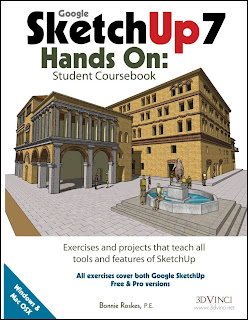
SketchUp 7: Hands On

I teach a short unit on SketchUp in my freshman Multimedia class. It's a survey course so we don't spend a lot of time on any one program but I always try to work a unit on SketchUp into the mix. I've struggled a bit in the past as to what I should teach the kids about SketchUp. I love the program. I love that it's free and the kids can download it at home if they want. But, those first few steps into three dimensional drawing can be daunting for my kids. I feel that my inexperience and lack of background is part of the reason I can't get most of the class excited about the program.

Last year I decided I needed to improve my SketchUp skills in order to better teach it. Searched for all the books available and many of the websites. Stumbled on a review of SketchUp7: Hands On by Bonnie Roskes and tracked down the website where it's sold, 3DVinci. It's an expensive book but I convinced my department chair to buy a copy for me and spent part of my summer working through some of the exercises. I have to say, my SketchUp skills are better and I now have a better idea what to include in my lessons. I originally thought it might be a book we could buy for the kids to use but it is pretty comprehensive and weighs in at 502 pages. It would be overkill for a three week unit. I could see using this with high school class dedicated to the program. The publisher says it could be used with "advanced middle school" students but I think it's a little too advanced. Not that they couldn't do it, I've seen middle schoolers use SketchUp before and do some amazing things.

Still, this is a great resource for any middle school and high school teacher who uses SketchUp to have on their bookshelf. It also would be a useful book to have in the high school library and I'lll be making this suggestion to our librarian. The author, Bonnie Roskes has a blog that I just discovered today. Looking around her site I found this useful little explanation on how to better use the Push/Pull tool. The 3dVinci website also has a subscription service that will give you a 3 new lessons every month. (I've not tried this but looks promising.) There are some other resources availabe at the site. The website and the book are both worth looking at.

[Image captured from 3Dvinci: http://www.3dvinci.net/]

Tuesday, May 5, 2009

Principles of Kit-Based Learning

This short article on Principles of Kit-based learning from the Tinkering School has had me thinking about tinkering all morning. One of my biggest complaints about where tech ed seems to be headed is towards activities that are based on how easily they can be measured and evaluated. These "closed" kits tend to take the open ended possibilities out of a project and what I believe adds depth to the learning experience. So, I was pleased to see this list of criteria the Tinkering School uses in designing a learning kit:


1. Focus on the quality of the experience first
2. Allow for personal expression within the experience
3. Leave something to be discovered
4. Support failure
5. Focus on concept but connect it to the world and the sciences
6. Experience should transition smoothly to tangential or subsequent topics

[Image: Flickr: "Version 0.2 had Wheel Slippage Problems": Uploaded on April 30, 2009by gever tulley: http://www.flickr.com/photos/gevertulley/3489005209/in/set-72157617434361063/(Creative Commons: Attribution-Noncommercial 2.0)]

Thursday, April 9, 2009

Hunting the Internet for Quality Content

Read this article in Education Week this morning discussing ways that teachers can find educational materials on the web. My success in this activity is relational to how much time I have to look. If I suddenly need to find a lesson for a class because my dog ate my briefcase and I have an hour or less to find what I need, I am doomed to failure. Give me a little more time and I usually find something that I can adapt. Rarely do I find something that can be taken straight from the web into my classroom. To be fair, I had very few resources like that before the web (yes I'm that old). We teachers are always tweaking lessons to meet a classroom's specific need and match our own presentation style.

I haven't had a chance to explore the three sites brought up in the article although Curriki recently came across my radar and I've got it on my Twitter feed. I went ahead and linked to them below. I still recommend the article. It has some useful information.


[via Curriki (Tweet)]
[Image: "Working on Long Range Lesson Plans": Flickr: Uploaded on September 24, 2005 by CaptPiper: http://www.flickr.com/photos/piper/46059383/: Creative Commons: Attribution-Noncommercial]

Saturday, April 4, 2009

John Wooden defines sucess

John Wooden defines success in his TED talk:
Peace of mind attained only through the self satisfaction in knowing you made the effort to do the best of which you are capable.

Saturday, March 21, 2009

Ten minute Attention Span

Quote from John Medina's Blog, Brain Rules:

Peer-reviewed studies confirm my informal inquiry: Before the first quarter-hour is over in a typical presentation, people usually have checked out. If keeping someone’s interest in a lecture were a business, it would have an 80 percent failure rate. What happens at the 10-minute mark to cause such trouble? Nobody knows. The brain seems to be making choices according to some stubborn timing pattern, undoubtedly influenced by both culture and gene. This fact suggests a teaching and business imperative: Find a way to arouse and then hold somebody’s attention for a specific period of time.

Tuesday, February 10, 2009

Invisibilia: Photoshop Activity


Cool tutorial on replacing a part of a photo with a drawing. I find them strangely intriguing. In particular, the ones where there is more than one person in the picture. Invisibilia is the web site where the author of the tutorial has posted a bunch of examples. Warning: There is some nudity here. So take a look before you share with students. The top picture here is off the site. The second is one I did following the tutorial.

The author has this to say about the photos:
Maybe the pictures illustrate the idea that we all want to remove ourselves from life, and replace ourselves with fictional, self-created versions of ourself. We want to fictionalise our own existence, and impose order and narrative where there is none. Or maybe it's just tracing. Either way, I hope you enjoy the pics.

I'll be trying it out with my multimedia kids later this year. It isn't hard to do as long as you have Photoshop or some other program that lets you work with layers. I put this one together in about 15 minutes.


[via Make]

[First Image: "Invisible Phone": Captured from Invisiblia: http://www.themanwhofellasleep.com/invisibilia.html]
[2nd Image: Group shot from a DU Poetry Slam (2008): Modified by Al Gunn]

Monday, January 26, 2009

Tagging your files

I mentioned in an earlier post the idea that tagging a file might eventually become the common way to organize electronic files. Couple of days later I ran across this review of a tagging program (mac only) called Tags.

The author of the review, Brett Terpstra, summed up tagging in the following way:
The tagging concept, to summarize, basically allows a file to exist in many collections at once, as opposed to being stuck in one folder. Tagging can be used in combination with a folder hierarchy, or allow for flat storage and organization through search mechanisms. Tags allows you to classify not just files, but also web pages, iPhoto images, Address Book entries ... just about anything which would need to be collected to organize a project.
I have taken to tagging my photos as soon as I load them in from my digital camera. The success of the method, as with any organizational scheme, is to actually use it. After using the system for a couple of months I found it much easier to find a specific photo using a few key words. I bought a little shareware program called Keyword Assistant a few years back to help me out. It made it much easier to tag my photos. Tags (the program) looks to make it convenient to tag all my files?

I had my first set of web kids crash and burn this week because of unorganized files. Their links were failing and they couldn't even find the files they were linking to. They didn't like me very much when I told them they had to get those files named and organized before I'd help them troubleshoot. I refuse to deal with a group of files all named "untitled".

Every gray hair on my head has at it's root an untitled.html file. (Sorry....I just had to say it!)

[via TUAW]

[Image captured from TUAW article: Tags takes organization to a new level:http://www.tuaw.com/2009/01/19/tags-takes-organization-to-a-new-level/]

Monday, January 12, 2009

Inexpensive kid proof camera


Kids are hard on electronic equipment. Some of it is malicious. I believe most is not. A lot of damage is the result of them learning to use a body that is changing daily. I saw this in my technology lab repeatedly. The worst offenders tended to be my sixth graders. Sometimes it seemed they didn't know their own increasing strength.

Oddly enough, I had more breakage with young girls than young boys. That ratio changed the older they got. In a twisted, hard on the teacher kind of way, breakage was good for the kids. It was good for me as a boy. I learned all about not stripping a bolt by stripping one. Splitting wood by accidentally splitting a board. Structural soundness by building something that wasn't. Why should I deny my kids the wisdom of failure? The trick is to try and build those experiences into your lab in a safe and cheap way. (Good luck!)

So I was always on the look out for equipment that was built a little sturdier than what I might get for myself. I saw this camera by Fischer Price recently and thought that it might make a good classroom camera even for older kids. I don't think my middle schoolers would have taken it out of the room as it looks like a child's toy. But it looks like something we could knock around with in the lab, suspend from the ceiling, attach to a 10 foot pole or build into a Lego robot. Every time a child dropped it I would cringe just a little less knowing that it probably wouldn't break and that if it did the price wasn't prohibitive in me quickly replacing it.

I wish there were a line of cameras designed for kids with a nice balance between price, value and features. I'd spend a little more if I didn't have to plan for a certain number to break every year. Anybody have suggestions along this line for older kids?

[via Gadget Venue] [Image captured from Gadget Venue: http://www.gadgetvenue.com/fisher-price-kid-tough-digital-camera-12172005/]

Thursday, January 8, 2009

Tape Measure Basics

Did you ever have one of those "dotty" relatives who talked to themselves while they worked?

We'd giggle about how Uncle Sam would be talking to his tools and describing to the tool what he was going to do before doing it. Now that I've taught for a few years I realize that this was a great teaching technique. I use it all the time now and will often think out loud so my students can hear my thought process. It makes me sound a little dotty and I'm sure my kids giggle behind my back too. I started doing this when I was a Social Studies teacher and would talk to the text book's author and ask him questions as though he were there in the room. I'd admonish my students to develop a two-way relationship with their textbook. "There is a person behind those words, learn to talk to him. Ask her questions!"(I'd like to take credit for coming up with this idea but I heard it in a workshop.)

I use this often with my kids as I talk myself through the steps it takes me to accomplish something. I find when I don't do this, what I've done looks like magic. Like it just happens. I had a friend once in frustration say to me after I solved a technical problem she was having, "How did you do that? Do you want to keep me stupid?" I realized that I had done all my thinking in my head and it just looked like magic. I'm trying to do think outloud more with the adults around me but for some reason I feel more self-conscious with my peers. Maybe I don't want them to think I'm dotty?

I wish my dad had talked to himself more while I was around. I think maybe I would have learned more as I followed him around the construction sites where he worked. I think we would all do better with a few more dotty adults hanging around. But, if you are short on dotty relatives take a look at this site, Remodeling for Geeks. I read the posts regularly to pick up a few of those tidbits of wisdom I missed while growing up. He has a couple of posts that explain tape measures. I thought when I saw this, "I know how to measure." Well guess I had a few things to learn.......if Dad had only talked to his tape measure!

[Image captured from Remodling for Geeks: http://theheadlemur.typepad.com]/remodeling_for_geeks/]

Saturday, January 3, 2009

Work the Information


In a recent post on David Warlicks Blog, he wrote something that struck a chord with me. He was listing challenges (or obstacles) to implementing various technologies in our schools and in response to the often heard comment, "The kids know more than we do", he said:
"No they don’t. They are more savvy at using technology, but we are better at using information. They know how to play the information. They desperately need us to teach them to work the information."
I've been struggling to put this concept into words the past month or so as I work with kids who are tech savvy but are failing in school. They can find their way around a keyboard and navigate the network but when it comes time to apply their knowledge, they choke and burn.

In my classroom, there is always going to be a kid who knows more about a program or piece of technology than me. I have a few advantages though, when it comes to seeing the bigger picture. I have the experience gained from living through previous technology successes and failures. A wonderful kind of learning occurs when student and teacher both accept the other's strengths and recognize their weaknesses. In that place learning can happen.

In my new semester class that starts next week, I'm going to be asking my students to let me show them how to "Work the Information". I'm also building in some time for them to show me what they think I should know. I'll let you know what happens.

[Image: My own attempt to visualize this idea. Don't like this graph as I think it simplifies what happens. Why is it some work feels like play and vise versa? ]

Tuesday, December 23, 2008

Students and PowerPoint


I teach a High School survey class called Multimedia. It's main purpose is to get our incoming classes up to speed on some of the programs and equipment available to them in our building. I try to create a curriculum that is oriented towards helping my students succeed in their other classes and to this end I like to ask the rest of the staff what skills they would like to see me reinforce. In a recent request for this information from teachers, the two main items listed were creating better PowerPoint slides and citing web resources.

The PowerPoint slide issue was by far the bigger concern. It isn't that the kids don't know how to make a presentation. They have the technical side down. It's that their slides are cluttered. They have too many bullet points. Text is hard or impossible to read. Graphics are blurry or pixelated.

I must add that they have learned a lot of this by watching us. Us teachers, that is. We are guilty of the same things. I have been to more than one staff meeting in the past 10 years that have demonstrated one if not all of the above bad design points. (I've made a few myself.)

How many times have you been to a presentation where the presenter says, "I know this is hard to read but...." or "I know that there is a lot of information on this slide but..." I don't know how to get the point of good design vs bad design across to teachers but I am working on a new unit for my students. I want to narrow it down to just 2 or 3 main principals they should follow in their design process for a PowerPoint slide. Possibly:
1. Font size
2. If you are going to read it to me don't put it on screen!
3. If you think its important that I see your picture. Make sure I can see it

It's rough. I'm still thinking about it. Any suggestions from you other teacher types out there? If you had to give your students just one recommendation for creating a good PowerPoint slide, what would it be?

[Image: "bored & tired": Flickr: Uploaded on January 3, 2008 by jakub_hla: http://www.flickr.com/photos/jakub_hlavaty/2163782581/]

Tuesday, December 2, 2008

Google Docs Goofs! Techer goofs that is...

Here are two minor issues I've run into using Google Docs in my classroom. Not big things, but minor headaches none-the-less. I had my Multimedia students create a Google Site. It was the first time I taught this in class and my students did great. My two snags occured as I started to grade the projects.

First, I had one class make me a collaborator. I figured I could just go to my account and then open each Site at my leisure. This worked fine. What I didn't anticipate was the volume of Sites in my account with no way to organize them into folders. So, I've now got 30 plus sites filling up the Sites section of my Google account. Not a big problem, just a bother. I wised up for my next class and had each of them email me the link to their site. This was much more manageable. I'm also now wondering if I need to have all my kids un-share me to get those sites out of my list?

Second, as part of the Sites assignment, they had to embed several Google docs into their pages. This worked...kind of. If they don't also share the doc with me, I can't see it. I get a message that says I don't have permission to view the document. This never occurred to me until I opened the first Site to grade. So, once again, a minor problem that I can fix by having them share the doc with me, but still, a bother.

Next time I give this lesson, it will be perfect! OK. Maybe not perfect but better.

[Image: Mashup of a screenshot from my Google Site and some eyes with a good dash of Photoshop. No restrictions on this. Use it if you want with my blessing.]

Monday, November 24, 2008

Using Google Docs in the Classroom


I've been using Google Docs in my classroom for a couple of months now and am still exploring how to best utilize it's capabilities. Saw this posting today and found several ideas I plan on trying including setting up a shared presentation like this one.


[via Google Docs Blog]
[Image captured from Google Docs Blog: http://googledocs.blogspot.com]

Tuesday, November 18, 2008

The Courage to Teach


I was corresponding with a young teacher the other day and decided to recommend a book that has inspired me many times in the years since I first had it handed to me by a fellow teacher.
It's called, The Courage to Teach by Parker J. Palmer. It is definitely a pro-teacher book and if you have had a bad week of being blamed by parents and administrators for the failures of education. Give this book a look-see.

Here are a two quotes.

"In our rush to reform education, we have forgotten a simple truth: reform will never be achieved by renewing appropriations, restructuring schools, rewriting curricula, and revising texts if we continue to demean and dishearten the human resource called the teacher on whom so much depends. Teachers must be better compensated, freed from bureaucratic harassment, given a role in academic governance, and provided with the best possible methods and materials. But none of that will transform education if we fail to cherish, and challenge, the human heart that is the source of good teaching."


"This book builds on a simple premise: good teaching cannot be reduced to technique; good teaching comes from the identity and integrity of the teacher.

Since I've pulled this book down off my shelf, I think I shall read it again. It's November. The kids are restless. I'm a little cranky. I could use some inspiration right about now.

[Quotes from The Courage to Teach: Exploring the Inner Landscape of a Teacher's Life; Parker J. Palmer; Jossey-Bass Publishers: San Francisco; 1998]
[Image: Captured from Amazon.com]

Thursday, October 30, 2008

Tombstone Rubbings


I did some tombstone rubbing with kids when I was a social studies teacher a long time ago. It was a great activity. The problem I had with them was what to do with the large rubbings of tombstones after the activity was over. Some kids took them home where I'm sure many a mother accidentally threw them away. I envision the middle schooler coming home and discovering his special tomb rubbing gone. He confronts his mother and she holds her pale hand in front of her mouth and says.
"I'm sorry honey. I thought it was trash. If it's that important , you and your father can go tombstone rubbing this summer."

Dad usually pipes in about then. "I ain't taking the kid to rub anything dead."

"Mommmmmm!"

"Don't worry honey. I'll talk to your father and I'm sure you will both be spending a lot of time with the dead this summer. If not, your father will wish he were with the dead." At which point she turns to her husband and says, "Now, I know you think your son is strange, but if he wants to spend time in the graveyard, wouldn't you rather he do that with you than with a bunch of dead people you don't even know?"

"Gloria, I don't want to spend no-time, in no-graveyard. No way. And he doesn't need to either. What in Sam Hill are they teaching these kids in that crazy zombie school of walking dead anyway?"


Or so I imagine the conversation going. I'm much more inclined these days to use a digital camera. But if you are inclined to go "old school" with the whole tombstone thing, then here is a site that describes the process. I saw several places that suggested cleaning the tombstones first to get a better image. I'd be reluctant to do this as so many of these stones are fragile. If I were to be that intrusive, I'd be sure to check with who ever maintains the graveyard. This article also recommends black crayon which has the advantage of not smearing. I liked the image I got from using a charcoal stick (used in art). You can get a setting spray from the same place you buy the charcoal stick that will keep the rubbing from smearing. It's more mess and bother and I would stick to crayons with younger kids.

I think with today's digital tools it also might be interesting to map out a graveyard. Maybe create a spreadsheet of birth dates and deaths. There are several trends that kids can usually see when they collect this kind of data. Epidemics. Wars. The number of children that died at birth or before their first birthday. Surnames can sometimes give clues to family origins. Just a thought.....I'm sure some history teacher out there has done something like this already.

[Image:
"Skull and crossbones tombstone, part:I": Flickr: Uploaded on February 17, 2007 by tstadler:http://www.flickr.com/photos/tstadler/393482519/]