Thursday, May 8, 2008

Dirty Keyboards and Sick Children

During one particularly bad flu and cold season several years back, my building had 3-5 kids missing from most of our classes due to a nasty virus that was going around. I was standing in the computer lab listening to the kids coughing and sneezing. I watched one young man sneeze. He shielded his face from the kids on either side of him and directed the stream of germs right onto the keyboard. He wiped his hands on his pants and continued typing. Besides getting grossed out, I started thinking about how germs are spread.

We started talking to the kids the next day in the technology department about washing their hands and explained that like their hands, the keyboard was one way to transfer the cold and flu virus. I bought some wipes and we started cleaning the keyboards daily. If I had a student who was actively coughing, I made sure that keyboard got cleaned before the next child sat down. I was lucky to have a sink in one of the labs and was always making the kids wash their hands. A lot.

I don't know if it helped limit the overall spread of disease in our school, but after that, I got sick less. I was reminded of this event by this post on ars technica: Study: keyboards make excellent homes for nasty bacteria. I love this quote from the article:
"...several keyboards were highly contaminated, and at least one was removed on the scientist's advice as it harbored four times the amount of harmful bacteria compared to a toilet seat"
I never used the toilet analogy with my students and staff before but I will from now on. I can hardly wait to put together my new graphic.

[Note: This story seems to have gained some momentum since I read it last week. Here are some related posts from ABC news.
[Image:Uploaded on March 9, 2006 by Lawrence Whittemore: Creative Commons]

Wednesday, May 7, 2008

Robotics in the Classroom


The NXT STep has an interesting post with lots of pictures about Robotics Projects, a graduate level class for teachers on how to use NXT Mindstorms kits in the classroom. This picture is an example of one of the final projects.

It sounds like my kind of class. I looked into it and found the following links.

Link to the class wiki.
Link to the Wichita State Robotics in the Classroom site.
Link to Wichita State College of Education

[Image captured from The NXT Step: http://thenxtstep.blogspot.com/]

Tuesday, May 6, 2008

Build an ornithopter


Make has a video posted on how to build an ornithopter. I saw this project in the magazine (volume:08) when it came out, thought "neat" and then forgot about it until now.

It looks fun. I am wondering if it could be scaled up and still fly? I may try this out.


Build an Ornithopter - video powered by Metacafe

Monday, May 5, 2008

Number of bloggers growing


I often wonder if blogging has hit it's peak? I wonder if it is just this generation's CB Radio and will fade away leaving only a few of us writing these online diary thinga-ma-bobbers? I wonder if anyone other than my sweet, supportive sister-in-law in Minnesota ever reads my blog?

This article from ars technica says no. Blogging is not dead. At least not yet. Here are a few juicy items from the post.

  • 45% of the internet users surveyed have started a blog (up 14% since 2007)
  • Asia has the fastest growing population of bloggers (over 70% in several countries)
  • 63.5% of us keep a personal blog and most write about their daily life
  • 82% of those internet users watch online video (50% increase since 2006)
  • Americans would rather read blogs than make them (72% read blogs regularily)
So, I guess I am still going to teach my students how to set up and maintain a blog next year. That's a relief, I thought I might have to plans a few new lessons.

"Thats a Four-Ten Good Buddy. It's time to Get Gone and then Get Horizontal. Over and Out!"

[Image: Typing hands-take two: Uploaded on May 20, 2006 by Tojosan: creative commons]
[Note: My CB is a little rusty...I either said I'm signing off and going to bed. Or that I am dead? My apologies to all you truckers out there...and I'm not dead!]

Thursday, May 1, 2008

DIY Photo Studio Product Lighting


Sweet little video from Make on how to set up your own product lighting for a photo shoot. Say you have a small object like a purse or a set of headphones or your action figurine of the Hulk. Here is a way to light it with no shadows on the cheap.


[Image captured from "Episode 2, DIY Photo Studio Product Lighting"; http://www.youtube.com/watch?v=-zARqGgHjNc&eurl=http://blog.makezine.com/archive/2008/04/ diy_photo_studio_product.html?CMP=OTC-0D6B48984890]

Wednesday, April 30, 2008

Make your own toys


I made one of these spool tanks when I was in Cub Scouts way back before they ever put a man on the moon. I believe it was one of the first things I ever built. It was fun to play with. It taught me some things about simple machines. I used a real knife to carve the notches in the spool and didn't cut off my thumb!

Mechanical Toys is a site that has directions for making a spool tank, a rubber band gun and a bunch of other cool toys. There are photos and diagrams for building most of the projects mentioned (some have a coming soon message). There are also links to other mechanical toy sites.

Now if I can only find a wooden spool in the junk box in my garage.

[Image captured from Mechanical Toys Page: http://users.bigpond.net.au/mechtoys/index.html]

Tuesday, April 29, 2008

Second Language


The Fischbowl recently had a link to this article: Rensselaer to Require All Engineering Students to Study Abroad. It has an interesting discussion about engineers needing a second language because "their eventual careers may require them to collaborate with international clients or co-workers".

I told a teacher I was interested in a science career when I was around 12, he recommend I take German as a second language because so much research was coming out of Germany. Another teacher in high school suggested Russian might be useful to someone going into science for the same reasons. I wonder what language I might recommend to a student today asking me the same question? Chinese? Japanese?

In the late 90's I had a principal who looked into setting up a Chinese language class at the middle school where I was teaching. She was unable to find a teacher who fit our needs at the time so it never came to pass, but she was already thinking ahead of the curve. I know that in a lot of schools, World Languages have taken a back seat to kids trying to meet all their academic requisites. Is it time to re-think our school policies towards a World Language? Should it be an elective or required? Do we need to look beyond the traditional German, French and Spanish?

[Image: Chinese word for luck captured from http://www.chinapage.com/word/chineseword.html]


Monday, April 28, 2008

Clothing Color Palettes

One trick I've use in the past when students are having a difficult time creating a color scheme for a web page is to have them borrow a palette from nature. Pick a picture of a flower or a tree or a mountain vista and then open it up in Photoshop. Use the eyedropper tool to grab the color hex number for three to five colors. Create a second layer and then draw a thick line of each color across the picture. Does it look good with the picture? Hide the photo. Do the color swatches look good together?

Instant color palette!

I ran across a site that does something similar, Wear Palettes. It takes outfits that are posted on another site that are considered fashionable and then uses those photos to create a palette.

Fashion is not my thing.

Clothes are not my thing.

The women in my life will attest to my poor taste in clothes and attrocious color sense. Yet there are lots of kids who are into clothes and fashion. Here is one way to help them bring an outside interest into their web design projects.

All kids struggle (OK maybe only I struggle) with matching their clothes in the morning. Getting them to think about their clothes gives them another way to think about color and design.

[Image captured from Wear Palettes: http://wearpalettes.blogspot.com/search/label/army]

Friday, April 25, 2008

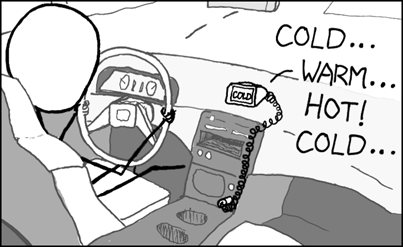
Funny: You are getting warmer...

GPS as my mother would have created it...


[Original comic from http://xkcd.com/]

Thursday, April 24, 2008

Planning for Presentations


Another slideshow from Rowan Mahanan about putting some thought into who your audience is before creating a presentation.

Some good tips here.


[Image captured from slideshow "Planning to Present" by Rowan Mahanan]

Wednesday, April 23, 2008

Free Range Children

While standing on bus duty before school I am able to observe the following scene; a long row of cars that winds down out of the parking lot and sometimes as far as several blocks away from our school dropping off students. Now we have bus service for kids that live a certain distance but if I had to guess, I'd say that only about half of the cars dropping of kids are bussed kids. Those of us on duty often refer to this as the "parade of parents."

Some of these kids live within walking distance. Some of them would ride the bus if their parents didn't bring them every day. My school isn't the only one. I live a few blocks from an elementary school and the same thing happens there every day. Our neighborhood is a typical suburban neighborhood. I'd say the crime rate is low. In the past ten years I can think of only one serious incident that involved students. Yet safety seems to be a major parental concern.

These are reasons I've heard from both parents and kids.
  • Not safe to walk to school
  • Don't want kids to be picked on by other kids on bus, on street....etc.
  • Only time of the day we get to spend time together.
  • It's too cold to walk.
  • It's too hot to walk.
  • It's too far to walk.
  • I don't want my (son...daughter....child) standing around in the cold waiting for the bus.
  • If I don't bring them, they won't go.
Safety is probably the biggest worry amongst parents. I'm an old guy who grew up walking to school. We had bullies. We had perverts. We had drug dealers. I survived and I was a weak, over weight kid who lost the only fist fight I was ever in.

I don't have children so I don't feel comfortable giving parents advice on this but I was intrigued by this article called, Why I let my 9 year old ride the subway. There is a website that has sprung up along with it called, FreeRange kids.

As I walk my dog in the park and don't see any kids playing on the playground equipment or using the big grassy area for baseball or soccer, I wonder if we are being too protective? I can't imagine what my childhood would have been like if I had been limited to my house and yard. Much less rich, I expect.

[Image: Flickr: Creative Commons-Attribution: "Easter long weekend stuck in some traffic" (91RS); http://www.flickr.com/photos/digital1/453791799/]


Tuesday, April 22, 2008

Paper Pop Ups

I was trying to create a little pop up birthday card for a friend and was having some trouble making it do exactly what I wanted. I have several pop-up books that must be buried at the bottom of a box somewhere, cause they weren't to be found.
"Oh well. Guess I will have to Google."
Found RobertSabuda.com on my first try. It had an example of the fold I was trying to remember and it is a informative little site I will keep in my bookmarks. Robert Sabuda is a children's book author with several pop up titles on his resume (and many others he has written and illustrated). If you are a fan of pop ups you will find something here that will delight you. If you aren't and you work with kids, why aren't you? Pop ups are a great way to reinforce a variety of skills. Geometry. Simple machines. Art. Design.

I used pop up design and building with my sixth grade tech students to help them think in 3-D and it was a cheap way to help them learn the design process. They can design, build, test, re-design and build again over and over again. All for the price of a few sheets of paper and some tape. Plus they had a cool little project they could take home and hang on the fridge!

The page that I am still poring over is the extensive list of pop up books that the author maintains. It has the books I use as a reference and several others I want. He briefly describes each book and lists the advantages and disadvantages of each. This is a great find!

[Image "popup oz"; captured from http://robertsabuda.com/popmakesimple.asp]

Monday, April 21, 2008

Shift Happens

I was at a district training last week and the presenter showed Karl Fisch's "Did You Know" as an activity to bring us back on task after lunch. Many of the teachers and staff in the room had not seen it before. I was a little surprised as it seems like I've watched it so many times now. I'm thinking it might be time to show it in my own building to get people thinking.

Several folks asked if I would send them the link for the presentation. Since I went to the trouble to gather the links, thought I'd post them also.

  • This is the YouTube link (same as embedded below).
  • Many districts have blocked YouTube so here is a download page where you can find the presentation in several formats.
  • A link to a wiki page that gives more information on the presentation.
  • A link to Karl Fisch's blog, The Fischbowl.

This is a great conversation starter for any meeting or class. It will generate all kinds of comments and opinions from the group.


[Image created by Al Gunn]

Friday, April 18, 2008

Funny: I need a napkin!

My brother and I used to mock musicals as kids saying that they were "fake" and that "no one would ever just break into song." After watching this video created by Improv Everywhere, I've changed my mind. This is the world I want to live in...where at any moment, the world would become a musical and I would become Julie Andrews and.....and.....we'd all be just so darn perky!

Thursday, April 17, 2008

Design Squad

Read an article in my most recent issue of The Technology Teacher (april/2008) that made reference to a television show that I wasn't familiar with called the Design Squad. The program is built around a group of teenagers that are given a design challenge each week. I tuned in today to watch an episode called the "PVC Kayak Challenge". In my area Design Squad plays on Sunday mornings. No wonder I never saw it on my schedule. Luckily, I have Tivo and was able to watch it in the afternoon rather than get up early. I enjoyed it and thought it would be a fun show for school kids also. It is kind of like Junk Yard Wars only aimed at a younger age group and less dangerous challenges.

After the show I went to their web site and found a wealth of information including a set of challenges that could be utilized in most classrooms. I saw several that I'd done in the past and many that I'd use if I were still running a technology lab. Give the web site and the show a look-see...I think you will find a few ideas you can use.

[Cheng, Jack. "Excite Kids About Engineering." The Technology Teacher Apr 2008: 26-31.]
[Image captured from Deisgn Squad website: http://pbskids.org/designsquad/challenges/s2-ep2.html]

Wednesday, April 16, 2008

History of Digital Storage

In my Apple IIe days, I remember bringing in several examples of floppy disks to show my students including a big 8 inch floppy (shown in the picture) that a parent had given me . At some point in the mid eighties another teacher in my building wrote a grant to buy a hard drive to store the files for a bbs (electronic bulletin board) he was running. It was a whopping 128 mgs and cost over a grand. When I talk to my students about this now, it is one of those quaint bits of history. Interesting but quickly forgotten. It must have been like this for my mother when she used to tell me about switching from kerosene lamps to electric lights. It was interesting but I didn't really feel it in my heart. None of my students understand that heart thumping excitement as all the geeky teachers in the building (all three of us) gathered around that heavy, big 128mgs of monster technology and felt like we were looking into the future.

Maybe it's because I'm older and less prone to giddy flights of excitement, but I don't ever get that same big rush from the next new thing anymore. Maybe I'm jaded? Maybe I've seen too much change? It's fascinating to me.....after all I still am a geeky guy. Perhaps when I am laying on my deathbed and all the data from my life is playing back before me from a memory chip the size of a pin head, I can brag to the angels dancing with me there about how much change I've seen. (That might make me giddy?)

Thanks David Warlick's for the link that took me down memory lane. (Sorry for that pun...but it was just too good to pass up!) This site would be great to show to your kids when you talk about the old days. Be prepared though, they might laugh and call you things like "geezer".

[Image captured from http://royal.pingdom.com/?p=274]

Tuesday, April 15, 2008

Dodging Bullets

Two things happened recently that made me come to the conclusion that Powerpoint pretty much forces you to give one type of presentation. First, I was helping my wife prepare a talk for her job. Powerpoint in the way it is set up was forcing her to create the talk in a specific fashion. Multiple bullet points and a print out of the slides to give to the audience. She was used to seeing presentations like this, didn't like them, but was having a hard time breaking away from that format.

Pretty much every Powerpoint I see is built with numerous slides with lots of bullet points. The presenter reads what is on the slides. The slides are printed out and given to the audience. Every time, I walk away thinking, "why didn't they just send us the presentation and save us the time."

The second thing that influenced my viewpoint was watching this slideshow by Rowan Manahan, Dodging bullets in Presentations, where he pretty much put my thoughts into words. He takes wordy slides and shows how they can be re-created to support your presentation. The focus should almost always be you and your content. Your slides should emphasize your points. I admit there are times when data heavy presentations need to be made but there has got to be a better way than watching graph, after table, after chart projected up on a screen.

What I would like to see is a program that asks you to identify your audience, determine what type of presentation it is and then ask you to write out your script before you ever see a slide template. I'm sure I am paraphrasing one of the more knowledgeable presenters I have blogged about but my thinking is that your presentation should first be able to stand without any slides. Get to the point where you can give the talk with only a few notes. Then look at what kinds of graphics would best support or emphasize your points. If you are going to give your audience a handout, make it from scratch and don't rely on the nifty "print handouts" feature in Powerpoint.

I'll be teaching Powerpoint next year to high school freshmen and am thinking that before my students even open Powerpoint they will need to prepare a speech and give it to the class. Then, and only then, will we open the program and look at ways to enhance their speeches.

Any thoughts?


[Image taken from the slideshow "Dodging bullets in presentations" by Rowan Manahan]

Monday, April 14, 2008

Technology Lesson Plans


I was exploring the Association for Career and Technology Education (ACTE) website and found this section of technology lesson plans.


Here are a few sample titles with brief descriptions:
  • Scale Drawings :Students sketch an enlargement of a cartoon using geometry and ratios. Secondary.
  • The Barbie Bungee Drop: To create a mathematical model or equation relating the distance a Barbie doll will fall and the number of rubber bands making up the bungee cord. Goes with Barbie Bungee Drop. Middle school, secondary.
  • Cereal for all: Students take a cereal box apart to determine the total surface area of the box and how much material is needed to create the box. Secondary.

The lessons download as word documents and anyone can access this area of the site. Some of the plans have more information than others. I would have liked a bit more narrative and a listing of standards being taught. Overall though, I thought if I were looking for ideas, this would be a perfectly acceptable place to get started.

[Image captured from homepage of ACTE: http://www.acteonline.org]

Friday, April 11, 2008

Funny: Anyone...anyone...anyone?

The famous scene from Ferris Bueller's Day Off that makes every teacher cringe and every student say, "Yeah. I had a teacher just like that."


Thursday, April 10, 2008

Typing a panagram

If you ever took a typing class than you probably had the experience of typing:

The quick brown fox jumps over the lazy dog.

This phrase is an example of a pangram, a sentence that contains all the letters of the alphabet. When I taught keyboarding to middle schoolers I often used this phrase to help kids see which letters were giving them problems. My typing teacher back in my old high school did the same thing for me. (To me?)

I used to make up my own pangrams to spice things up a little. It gets boring typing the same thing over and over again. I was reminded of this when I ran across Pangramaday, the website of a person that writes a pangram each day. They are much more poetic than the lame ones I created. They'd be fun to add into your drill and practice. The kids will think you are awesome. Parents will think you are clever. Principals will congratulate themselves for hiring you. All this praise because of a simple sentence that turns your youngsters into speed typists.

Some examples from the site:
  • Thunderstorms beat a quickstep across the valley; forget what quiet jazz existed.
  • I noticed his glazed pompadour had acquired a killer swoop; a foxy wave befitting a jester.
  • Albuquerque nights project fake moonlight over wide expanses of brazen sky.

I got curious if there were any other panagram sites out there as Pangramaday doesn't have a lot of choices as of yet. The author is going to add one each morning but he has only been writing them for a few weeks. I searched and here are a few examples out of the thousands of pages about panagrams available.

[Image is my own creation...yes I know I just typed the alphabet in Photoshop and added a triangle. But it's a nice shade of green don't you think?]

Wednesday, April 9, 2008

Is it possible to multitask?


The video below demonstrates how our brains filter information. It was made to promote cyclist safety. The point being that if you are concentrating hard on one thing, other things, like a cyclist, won't be noticed.

On more than one occasion while my wife has been driving we will pass one of those folks dressed up as a hot dog or a taco or a fluorescent haired clown advertising a local merchant.

After passing the clown, I will say something clever like, "Cute clown?".
She replies, "What clown?"
I say, "The clown on the side of the road waving the big 4-x-4 sign on a stick."
"There was no clown."
"Yes there was."
"No way!"
"Yes way!"

You get the idea. This has happened often enough, that in any similar circumstance where one of us should have noticed or seen something, we often say...."Didn't you see the clown?"

My reason for bringing this up is not to air my marital issues ( I love my wife even if she can't see the clown) but to point out this brain filtering mechanism. And to ask the question, can we truly multi-task? Or are we really serial-tasking very quickly? If this is a skill needed in the workplace, is there a way we can better prepare kids to handle it? Is there a way for me to re-train my 50+ year old brain without some sort of mental implosion?


[Image:Flickr: Bahman: http://www.flickr.com/photos/bahman2005/302426028/]

Tuesday, April 8, 2008

Bing Bang Boing


Saw this video on Boing Boing about a 70s era toy and wondered how I could not have any memory of it. Granted I was off to college at the time but still.....seems like it's something I would have bought for a nephew or at least snuck off to the toy store to investigate.

It reminds me of the Chaos Toy that came out several years ago which is essentially a kit of various components that allows you to build Rube Goldberg type machines. I had one that I used in my 6th grade tech class. I also have one in storage that my wife asks me every year if we can donate to somebody.
I reply, "No. A thousand times NO. No one will appreciate that toy like me. Perhaps I could be buried with it? Or even better, at my eulogy, set it up to bounce gumballs into my open casket."

I am thinking more and more that most of the mechanisms in a toy like the Chaos Toy or the Bing Bang Boing can be reproduced out of simple materials. Wouldn't it be more fun to construct your own home made kinetic machine? I think so.

After doing a quick search, I found this guy that agrees with me who built a Bing Bang Boing for his kids.


[Image created by Al Gunn to represent the perfect funeral set up for a geeky technology teacher. Better than a Millenium Falcon shaped coffin!]

Monday, April 7, 2008

UK online safety study

Ars Techica had a post about a recent British study that is "an independent review of how parents and children are being affected by the rise of new technology." I particularly like the following analogy. Byron, the author of the study, suggests that parents should treat technology as they do more traditional areas of childhood development, and makes two informative comparisons: crossing the street and learning to swim. Each of these is associated with risks, but parents manage them in stages, with education, followed by supervised exploration that ultimately leads to allowing children to explore largely unsupervised. Technology largely presents a problem because it lacks the intuitive and widely understood aspects of education and risk.

The full text of the article is available here.

[Image:Flickr: maveric2003:Eric Chan: "Kids on a rope"; http://www.flickr.com/photos/maveric2003/833326910/]

Friday, April 4, 2008

Thursday, April 3, 2008

Acid Test for Browsers


The Acid3 test page will check to see how compliant a browser is to web standards. If you are teaching web design, your students will eventually run into a situation where a page will open fine on one browser but will not look right on another. The Acid3 test is a fast way to show your kids these differences graphically. The picture shown here is what the page is supposed to look like. My understanding is that at this point no browser is 100% compliant. Try it with your current browser and see how close it comes.

If you want more details about the organization that put the test together or the whole issue of web standards, check out the Web Standards Project site.

[Image captured from ACid3 Test reference page: http://acid3.acidtests.org/reference.html]

Wednesday, April 2, 2008

Google on Internet Safety

The Google Blog had a post last week on internet safety with a variety of links. I've included a video they created in partnership with Common Sense Media here that is featured on that posting. If you are looking for some safety related sites you can share with parents or colleagues, this might be helpful.


[Image created in Photoshop. Quote is from a character on the TV show "Hill Street Blues" that aired in the 1980's]

Tuesday, April 1, 2008

You wouldn't believe me anyway...


I was going to write a long essay on how to solve all the problems facing technology education. But who would believe anything I write today?

Monday, March 31, 2008

Cringly on education


Interesting article by Robert Cringley called, War of the Worlds: The Human Side of Moore's Law. He writes about how technology is forcing education to change and how the institution of education is resistive. His basic premise is that technology could by-pass this whole education thing if there were a standard way of certifying knowledge. For instance, if I can prove that I have the skills and I have a document to prove it and I can get it in alternative ways to sitting in a classroom, why do I need to go to school?

Here's a brief quote:

"I've written about this for years and nobody ever paid attention, but ISO certification is what destroyed the U.S. manufacturing economy. With ISO 9000 there was suddenly a way to claim with some justification that a factory in Malaysia was precisely comparable to an IBM plant on the Hudson. Prior to then it was all based on reputation, not statistics. And now that IBM plant is gone.

Well reputation still holds in education, though its grip is weakening. I know kids from good families who left high school early with a GED because they were bored or wanted to enter college early. Maybe college is next."


[Image: Sheldon, Dick. "Children in the school house." Library of Congress. 1938?. Library of Congress. 26 Mar 2008 .]

Friday, March 28, 2008

Funny: Sweet Home Alabama

Sweet Home Alabama like you have never seen before as performed by the Leningrad Cowboys (from Finland) with their back up group, the Red Army Choir.

Thursday, March 27, 2008

Aptera Electric Car


Saw this car on a TV commercial and did a little looking on the web to get more information. It's an Aptera electric vehicle and should be available for purchase next year in California. Found this Youtube video put together by Popular Mechanics that has the CEO explaining all the design features. The video could be used as a lead-in to many different kinds of classroom discussions and activities: design, form-vs-function, environment, transportation, etc.

Or forget the kids and give your inner-geek a little treat and watch the video.


[Image captured from Aptera Home Page: http://www.aptera.com/]

Wednesday, March 26, 2008

Turing'd


I knew a teacher years ago who was working on developing Computer Assisted Instruction modules. He felt that eventually machines would replace teachers. Initially, he had me convinced. Then I worked through some of his modules and wasn't overly impressed. I've worked with some other products over the years and always felt they were inferior to "live" instruction. Good for drill. An additional tool for teachers. But no replacement. I have very self-righteously stated on more than one occasion that "machines can never completely replace a teacher."

I'm not so sure anymore. I haven't seen a killer program that changed my mind. But, I've been watching the steady progress in computers and programing over the past twenty years. It may not be that teachers are replaced but that education and learning change so much that they don't fill the same role anymore.

Today I read a post by Kevin Kelly on The Technium that discusses the number of professional skills that have been Turing'd . This term refers to the Turing Test, proposed by Alan Turing back in the fifties. The test involves a human judge communicating with a computer and a human. If he can't tell the difference, then the machine has passed the Turing Test. If a skill or occupation has been Turing'd, it means a machine is able to do it as well or better than a human.

Kelly's main point is that professionals that have been Turing'd are more willing to accept new technologies. Teachers as of yet, haven't been successfully Turing'd. Using his line of reasoning, this helps to explain why we educators as a whole are slow to adapt to some of these new technologies.

How long do we have before we get Turing'd?

[Image: Robot asimo: Photo en Creative Common importé sur le site Flickr par l'utilisateur xcaballe. adresse de la page : http://www.flickr.com/photos/xcaballe/13403082/)]


Tuesday, March 25, 2008

Posting a students picture on the web

When I came to my current school district about ten years ago, it was against the rules to post a picture of any student online unless you got written permission from a parent. Needless to say, we had lots of school web pages with few pictures of any actual students. I spent a lot of time blurring out the faces of any students I posted on my class site.

My classroom was different. If a child did anything remotely interesting a picture was taken, usually with the responsible students standing proudly beside their creation. The students then opened it into a publishing program and added dates and names. It was printed out and hung on the wall. Kids loved seeing their projects and pictures of themselves posted. It was a great motivator. (Plus every child was comfortable manipulating digital photos and creating simple desktop publishing documents.)

My district has since become a bit more liberal in their internet policies. If I were running a tech lab now, I think I'd post class related pictures weekly. If not on a school website, than on a classroom blog. Kids could prepare their web page or photos for posting. They could share their work with friends and parents without dragging them into the tech lab. I'm going to be teaching a beginning multimedia class for ninth graders next year and I am already starting to think how I will be displaying their work online.

This all leads me to today's link. Brad Moon writes on GeekDad about seeing his elementary age daughter's project posted on YouTube. I thought it was interesting to read a parent's perspective. Don't forget to read the comments from other parents.

[Image: Al Gunn personal collection, "tower competition"]

Monday, March 24, 2008

Popsicle Stick Bridge...again


I was a little curious about popsicle stick bridges after writing about one last week. A young reader asked me if I had any specs (strength, etc) for popsicle sticks. I had a reference like that once but it was in a book, in a lab, that I no longer have access to. Can't recall the title...sorry. Although, creating a table of specifications would be an interesting activity for students to do before starting the actual building.

I went to Google to see if I could find some interesting sites that might be useful to young builders. Here are a couple that I found after an evening of searching.

I like this site, Model Bridge Design, put up by a young man named Garrett Boon. He has been building bridges for seven years and participated in many contests. He is a bit of an entrepreneur and is selling some of his more successful designs. But, I think you can get plenty of ideas and good advice from browsing his articles without buying the plans. Don't forget to check out his link page.

Here is a video podcast by Bre Pettis from Make magazine demonstrating how to build a popsicle bridge and some footage of a competition he set up. (I wish Bre Pettis was my neighbor.) This could be a fun way to introduce the topic. Notice they are testing the bridge by standing on it. Also notice the wide variety of shapes and sizes. I'd suggest some basic parameters for any competition including:
  • Length of bridge
  • Judged by weight held? Weight of bridge? Ration of the two?
  • Does there have to be a road bed and if so, does a model car have to be able to move across it.

Without any guidelines, I've seen students build solid blocks made of sticks and glue that were immensely strong, but used little in the way of design.


I'd also recommend coming up with a method other than standing on the bridge. It's hard to adequately explain to your principal or to a parent how a child sprained an ankle in your tech class as part of their assignment. For large bridges, we used cheap weight lifting plates I bought at a sporting goods store.

I got over 40,000 hits using the search term, "popsicle stick bridge." A lot of the sites were either too technical or relied on a lot of written description with no pictures or diagrams. If you are getting ready to do a project like this in your classroom, there are lots of resources available. Just be ready to sift through to find the good ones. If anybody has a site related to this topic they'd like to reccomend, please add it to the comments.

[Image captured at Model Bridge Design:http://www.garrettsbridges.com/photos/popsicle-bridges/popsicle-bridge-3/]

Friday, March 21, 2008

Thursday, March 20, 2008

Mixing up your own modeling dough


Back in the dark ages when I was teaching Social Studies I was developing a multi-disciplinary lesson with a Science Teacher, Mr. Mancini. We were creating a scale model of an environmentally friendly community and I thought it would be great to have the kids build models of the buildings and terrain out of clay. We had no budget and after pricing the cost of some of the building materials, I was ready to scrap that idea. Mr. Mancini had a recipe for a clay like substance whose two main ingredients were flour and salt. I made up a batch and it had the consistency of PlayDough. It cracked a bit when it dried but otherwise was perfect. It held its shape and could also be painted or the dough could be made in different colors using food dyes.

I was looking for this recipe the other day as a possible rainy day activity for my nephews. Mr. Mancini has since retired and is sitting around sipping cappuccinos in an outdoor cafe somewhere in Italy. Even if I could contact him, I doubt he carries that recipe while he travels. So.....I did a Google search and came across this recipe on Geekdad that looks to be the same as the one we mixed up those many years ago. I love the internet.

I remember building land form maps in my Junior High Geography class using flour paste. It cracked and crumbled and mine didn't survive the walk home. This doughy stuff works so much better. It is a handy formula to keep bookmarked.

[Image captured from Geekdad: Cooking Up Some Home-made Fun: http://blog.wired.com/geekdad/2007/10/cooking-up-some.html]

Wednesday, March 19, 2008

Building your own Lego Temperature Sensor


About 8 years ago, I took a great workshop in Colorado built around Logo and and Lego through the Logo Foundation . It was my first real exposure to Mindstorms. I took many ideas back to my technology lab after that summer including a whole unit on Robotics inspired by the workshop. One of the cool things I was taught by the facilitator was modding Lego pieces to create a light sensor. This was something I taught some of my eighth graders to do and we always had a nice supply of inexpensive light sensors to use in our projects.

This article on building a Lego temperature sensor made me think of that workshop. The instructions are clear and there are lots of pictures. I wish someone would write a book on modifying Lego pieces. I know there are purists out there who think the bricks should never be tampered with, but if I can get a student interested in electronics or design by letting them go at a Lego brick with a Dremel tool, then I think it's worth it.

(Note: This site has other sensors you can build. There is also a link to another site with more modding examples, including the light sensor that is similar to the one I was taught to build.)

[Image captured from Building a RCX compatiable Temperature Sensor: http://el.media.mit.edu/Logo-foundation/workshops/previous.html]

Tuesday, March 18, 2008

Puppet Technology


My tech lab had a station dedicated to puppet building. Puppets are a fun way to experiment with simple machines. A puppet mouth is usually designed around a lever. Arms and eyes are usually controlled by a linkage of some sort. Marionettes and shadow puppets have pretty complex mechanisms controlling their movements.

I added this module after I co-taught a technology/art class in my middle school. I had the grand idea of a multi-disciplinary class built around building puppets and then using them as the actors in short videos. I had the opportunity to run this class once with a group of eighth graders. The logistics of it gave us the biggest headaches. Storage of puppets and props. Where to film. How to work multiple groups through scripting, puppet building, video production and editing. I think we could have worked it all out if the art teacher hadn't gone off to teach at the high school. (I don't think working with me drove her away? I'm a nice guy...a little odd...but nice.)

Anyway, after that experience, I was hooked using puppets as an educational doorway to the wonderful world of technology. I was pleased to discover this blog dedicated to puppet building and I've linked to a video from the site that demonstrates how to make blinking eyeballs.


Online Videos by Veoh.com
[Image Captured from Puppetmaking.com: Moving Eyelid Mechanism Video Tutorial:http://puppetbuilding.com/animatronics/moving-eyelid-mechanism-video.html]

Monday, March 17, 2008

Building a Banjo


After writing about tearing a banjo down last week, I ran across this post on Make that had a flickr stream detailing all the steps to building a wooden banjo. Fascinating.

I tracked down the fellow who posted the pictures and he sells handmade banjos out in Massachusetts. His site is fun to browse and if you are interested in instrument building, his blog is filled with information about his methodology.

Someday I am going to build a gourd banjo. I am pretty sure it is my destiny!

[Image: "canarywood2side"; flickr: J.P.Banjo: http://www.flickr.com/photos/12786541@N00/sets/72157604084635308/]

Friday, March 14, 2008

Thursday, March 13, 2008

Banjo Break Down


I'm a big supporter of folks tearing things apart in order to see how they work. The problem is that sometimes they don't work so good after you put them back together again. No one said learning was going to be easy.

I make it a habit not to tear anything apart that I will need to use within the next six months. This is also a condition of me remaining happily married. So, I was in awe of this photo from Patrick Costello's Tangier Sound, a great website for all you banjo, guitar and harmonica players. Or wannabes! (I'm a big fan of Patrick's site and I visit it daily for an online lesson.) Steve, one of his readers, tore down his own banjo to all it's itty-bitty parts and sent in this picture. He got it all back together again and posted a video of the rebuilt banjo being played. There were no pictures (or video) of a grown man weeping into a crumpled banjo strap, so I am assuming it went back together without a hitch.

I don't have the nerve to do this with my precious banjo. Maybe my neighbors banjo......but not mine.

[Image: Captured from Tangier Sound: http://tangiersound.wordpress.com/2008/03/10/oh-the-humanity/]

Wednesday, March 12, 2008

Digital Wonderland or Overload?


Interesting and thoughtful article by Mark Edmundson, a professor of English at the University of Virginia. He discusses this generation of multi-tasking, digitally connected learners. Two things I liked about this article. First, his description of today's learner.

"Now students in almost any classroom can get directly onto the Internet and, given the shield like screens on their laptops, they can call up what they like. Especially in the big lecture classes now, everyone's flitting from Web site to Web site, checking e-mail, and instant messaging. Do they pay any attention to the class? My students tell me that they're experts in paying attention to many things at once: It's no problem at all."

Second, his argument for exposing students (in his case college kids) to various authors and different points of view.

"The ultimate reason to read them is to see if they may know you better than you know yourself. They may help you to cut through established opinion — doxa — about who you are and what the world is. They may give you new ways of seeing and saying things, and those ways may be truer for you than the ones that you grew up with. Genuine education is a process that gives students a second chance. "

Read the article and see if you agree with his final conclusion. I suspect those of us who are above a certain age will and those who are younger will not.

[Quotes: Edmundson, Mark. "Dwelling in Possibilities." The Chronicale of Higher Education Vol 54,Issue 2714 Mar 2008 Page B7. 11 Mar 2008 .]
[Photo: Michael Jastremski for openphoto.net CC:Attribution-ShareAlike]

Tuesday, March 11, 2008

Hacking your bedroom


When I was a kid I always wanted to redesign my room. I wanted to sleep under my bed. I wanted to create a mini-bedroom in my closet. I constructed tents over my bed and at one point suggested at the dinner table that I could build a permanent structure over my bed using scrap lumber. My mother said no. Another time, I wanted to put everything I owned on the floor and get rid of my bed stand, chest of drawers and tables. My dad said no to that one. Once after watching an old Dracula movie, I talked for days about getting an old coffin (used?) and creating the most amazing bed any boy could ever want. I'd be the envy of the neighborhood. Not sure if my parents put an end to my dreams or I finally got a price list for a coffin and realized my allowance didn't quite cover the cost.

So, I was green with envy when I saw this bedroom hack posted on Geekdad. What I really love about this setup is all the floor space created by elevating the bed up off the ground. After reading about this I am thinking about bringing up the coffin-bed idea with my wife. We'd be the talk of the neighborhood!

[Image: Captured from Geekdad: Hacking Ikea for a Cool Kids Bedroom: http://blog.wired.com/geekdad/2008/03/re-post-hacking.html]

Monday, March 10, 2008

Excel Timeline


I was helping my wife with a work-related presentation she was creating this past weekend and she needed a timeline for one of her Powerpoint slides. I was eager to try one of the online timeline programs but none quite did what she wanted.

In searching for a way to make a simple timeline, I stumbled across this tutorial that uses an Excel spreadsheet. It's easy and easily modified to fit your needs. Social studies teachers (and students) should love this one.
I put together a quick overview of my life in less than ten minutes. Imagine what you could do with some real content.


[Image: Screenshot of a sample timeline I created in Excel]

Friday, March 7, 2008

Thursday, March 6, 2008

Let kids build stuff

Since writing about popsicle bridges yesterday, I've been thinking about all the trash we recycled in my tech lab as supplies for building and prototyping. My students had a material list of items to bring in that was a bit unusual. They had to scrounge up a paper tube (paper towel, wrapping, etc), a small box (cereal, soap, Rice-a-roni, etc) and a clean tin can or a wire hanger. I had piles of this stuff that kids could then use in their projects.

Students built robot heads out of cereal boxes and animated them using the pneumatic devices we had at one station. Students building mousetrap cars for their science classes came in after school to try out different ideas using my "junk" before cutting into their store bought materials. My favorite example is when I took my 8 year old nephew in one afternoon and set him loose in the construction area with a small electric motor while I graded some assignments. With just a little help from his uncle, he built a small working vehicle by the time we left. The chassis was made from the box for a bar of soap. The axles were made out of a clothes hanger. The tires were cut out of a piece of thick cardboard. It wasn't pretty but it worked and he built it.

I guess my point is that it doesn't take a big budget to get kids some hands on building experience. Let kids build. Let them fail and not worry about the cost, cause eventually they will build something that works. I think these are all good things. Good for kids. Good for education.

When I was a kid, I spent hours building damns out of dirt and sticks in the gutters on the street where I lived. I created complex series of pools connected with sluices that collected the water coming down the street. I experimented with ways to keep the dirt structures from being washed away. I created simple water wheels. I floated small paper boats. I ran out into rain storms to see how the damns held up under the deluge of rain water. The neighbors always said that Gunn kid was either crazy or would be an engineer someday.

I became a teacher......so I guess that means crazy?

[Image: Palmer, Alfred. "Fort Loudoun Dam Construction." Library of Congress. 1942. 5 Mar 2008 .]

Wednesday, March 5, 2008

Popsicle Stick Bridge Building

I read GeekDad the other day and Kevin Kelly posted some pictures of a popsicle bridge his son, along with a friend, had built at home.

For around $12 (my guess at what the supplies would cost at my local craft store) the boys built a bridge that was able to span ten feet. In my lab I'd challenge kids to build the bridge and then we'd see how much weight it could support before collapsing. The cool think about glue guns is that a couple of sixth graders can build a bridge (shorter than ten feet) in a single class period. This gives them an opportunity to build more than one bridge and improve their designs.

The first group builds a 1 pound bridge that can hold, oh say two pounds, and the race is on between each group that follows to build theirs stronger and lighter. Each bridge was photographed before testing and then with the important data included was put up on my classroom wall. If I were doing this now, I'd post them on a classroom blog.

I had books and other resources on bridge building laying around the station and while the first group may only have glanced at the pictures, later groups would ask to check the reading material out over night. I know of several groups that met on the weekends to build and test their structures. For best results, I would recommend letting the bridges sit and completely dry overnight (or at least a couple hours). Otherwise, the glue is still pretty elastic and instead of a satisfying break and crack when testing the weight load, the bridge slowly bends to the ground like silly putty.

I had great success with simple bridge building in my tech lab. It taught the kids to use some simple tools. It taught them to problem solve. It taught them to work as a team. It was a fun place to start talking about some basic engineering principles.

I might note that over the years I used other materials: toothpicks, balsa wood, paper, and straws. One year we had a bunch of Knex donated to the lab and I let them build and test the strength of their structures. I should warn you that you will break at least one or two Knex pieces each time you test. Still, I think popsicle sticks and glue guns were my favorite.

The beauty of a project like this is that it, as shown by the pictures on GeekDad, can be done at home. I had a parent tell me her son loved building the bridges so much that she wanted to buy him the same kit we used in the lab for his birthday. I explained that I went to the craft store and bought popsicle sticks and glue guns. He came in a week later and told me that he had a great birthday that year!

[Image captured from GeekDad: Popsicle Stick Bridge: http://blog.wired.com/geekdad/2008/03/popsicle-stick.html]

Tuesday, March 4, 2008

Online CSS Reference


Last year I bought a book on web design through Sitepoint and in the process got on their mailing list. This led to me getting an announcement recently about the launch of an online CSS reference site they've created. I've been poking around the site this past week and have found it informative and interesting.

It would be a helpful site to bookmark for yourself and for your budding web design students. Good reference tool. Little to much for most middle schoolers but a high school student would benefit from having it available. Take a look.


There are also plans for reference sites on HTML and Javascript.

[Image captured from Sitepoint CSS Reference: http://reference.sitepoint.com/css]

Monday, March 3, 2008

Google Sites


Google bought JotSpot, an online wiki service, over a year ago. It has been googlized and was re-released last week as Google Sites. You've probably already heard about this as it seems to have a post everywhere, but if you haven't here are a few links to help you explore this new wiki product.


[Image capture of sample teacher page:http://sites.google.com/a/googleclassrooms.org/mrs-richau/Home]