Showing posts with label photo. Show all posts

Friday, July 31, 2009

Funny: If you can read this


[Image captured from Library Stuff: http://www.librarystuff.net/2009/07/07/heh/]

Thursday, January 29, 2009

Panaramic Inauguration


This panoramic image was mentioned on several sites and I finally clicked over to take a look and was impressed. I loved being able to zoom in on sections. Close enough to make out facial expressions. The creator had this to say:
I made a panoramic image showing the nearly two million people who watched President Obama’s inaugural address. To do so, I clamped a Gigapan Imager to the railing on the north media platform about six feet from my photo position. The Gigapan is a robotic camera mount that allows me to take multiple images and stitch them together, creating a massive image file.

[Image captured from David Bergman's blog: All Access: http://www.davidbergman.net/blog/2009/01/22/how-i-made-a-1474-megapixel-photo-during-president-obamas-inaugural-address/]

Wednesday, September 17, 2008

Picnik: Online photo editor


I was looking for an easy, convienient and free way for my students to do some simple photo editing. We have Photoshop available in my lab but it isn't loaded on every computer in the school. Not a lot of kids have it at home as it's pretty expensive. So, I went and looked at Adobe's online editing site thinking it might be an alternative. I liked it. It let you do more online than I expected but you have to create a login and register before you can get started. It didn't take much time but it was one extra step. Plus, one more login and password for my students to forget.

I remembered reading about a free online editing site and after a little searching, I found the one reviewed. It's called picnik and it doesn't require any pre-registration before getting started.

When you enter the site you click the Get Started Now! button. This will take anywhere from 10 to 30 seconds depending on the speed of your connection. Only time it's taken longer to start it up for me is when I've been at home and running several programs at once, checking my mail and singing along to a Bob Dylan song. In my lab, with all my kids logging in at the same time, it took about 15 seconds.

You'll be prompted to sign in or create account. You can if you want or you if you just want to get in and edit a picture look a little further down the page and you'll see an Upload Photo button. Click this and you can then navigate to the photo you want to edit and upload it from your computer. It even has a little progress widget to show you that it is working. Once again, this has always taken less than a minute to finish. Once it's done you'll see your picture and this toolbar.



I uploaded an image of a lilly from my backyard.
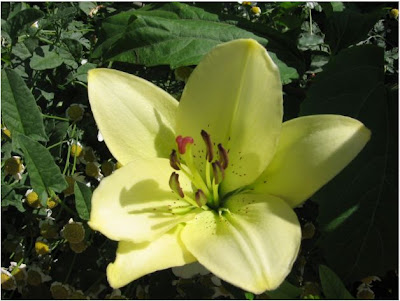


I clicked on the auto-fix tab to see how well the program could fix simple exposure flaws.
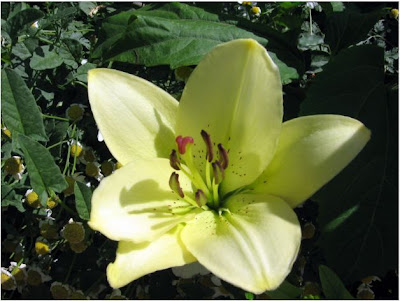


Not a huge change but it did lighten the picture a bit. I've used this feature on other photos and have seen a big difference. Other times, I like the original better or I ignore this button and tweak the settings in Exposure. I shot a picture of that control bar so you could see your options.



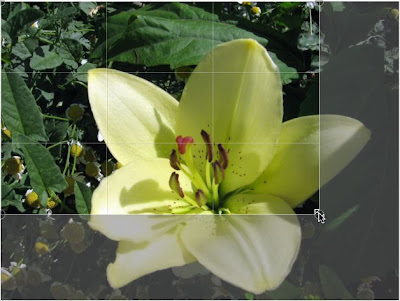
I picked the Crop tab next and got a nice surprise. The crop screen is divided into thirds. In my multimedia class this led to a good discussion of the Rule of Thirds. (Nice explanation here if your not familiar with this term.)

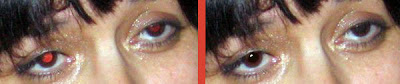
Before leaving the editing section, I wanted to test the red eye tool so I found a picture with a bad case of "demon eyes" and used the tool on that image. I felt the results were perfectly acceptable. Here is a close-up of before and after.


Next I went into the Create section of Picnik and here's a random selection of a few of the effects available applied to my lilly.
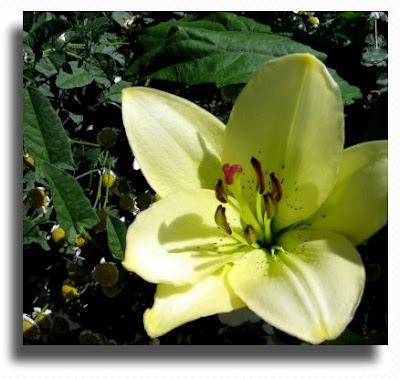


Drop Shadow
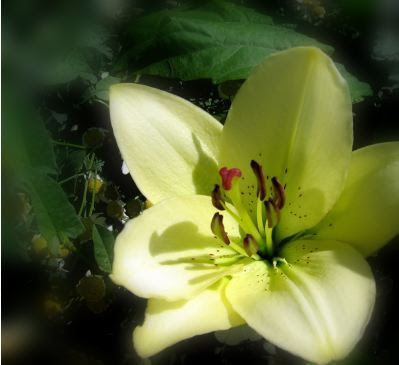


Focal Soften
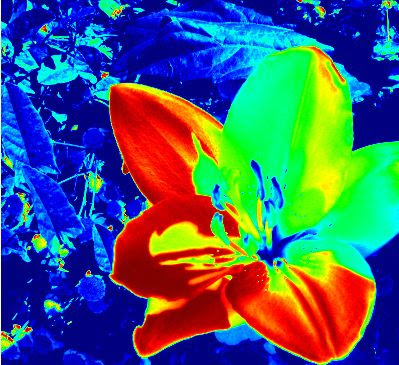


Heat Map
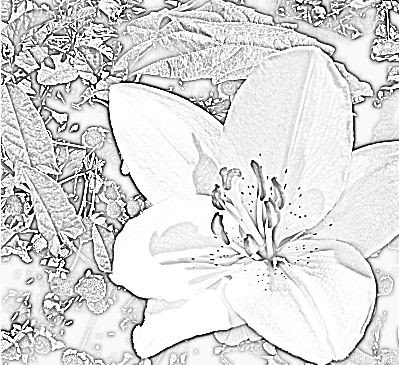


Pencil Sketch
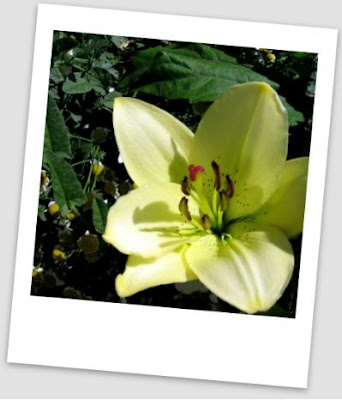


Polaroid Frame


I like this program. I've had kids in my building using this for a couple of weeks now and haven't had any complaints. It's easy to use. It's easy to upload and download your picture. It's free.

[Images: All pictures and graphics created by Al Gunn and he gives up all rights to these photos. Use them as you will.]

Tuesday, February 19, 2008

Photoshop Gradient on a Photo


I was putting together a web page for a class I'm taking and wanted the photograph I was using to gradually fade into the white background. I know how to make solid blocks of color do this using Photoshop and I know that I've done this before with a photo, but I just couldn't remember a key step.

A couple of minutes later after a Google search I found this tutorial that walked me through the process.

[Image: Al Gunn private collection.]

Thursday, February 14, 2008

Better photos through composition


Quick tutorial on improving photos through composition. The author give two easy techniques: one with your camera and the other with your photo editor.


Show it to your students and set them loose for a fast lesson on your first day back after suffering the indignities of a nasty stomach virus.


[Image: Captured from Information Addicts: Change Your View, Change Your Composition: http://www.informationaddicts.com/change-your-view-change-your-composition]

Wednesday, January 16, 2008

Cameras Everywhere


I didn't ever think that I would ever have a post about Paris Hilton on my blog.

Never say never.

This isn't going to be any deep think piece on her, her contribution to society, the role of the celebrity in today's world or even a fashion critique. I ran across a photo of her at a party and it wasn't Paris that caught my eye, it was all the cameras in the audience. (OK...so maybe I am getting old....but really, it was the cameras that caught my eye!) They weren't the usual big paparazzi style cameras. These were all small hand helds similar to the one I carry with me most of the time.


I grabbed the picture and messed around with it in Photoshop and was able to find 19 cameras being held up. The four in the back I guessed on. There were a few more that were just too blurry to call. But, in this snapshot of Ms. Hilton, there were at least 19 people in the crowd taking pictures. Probably a few professionals, but my assumption is that most of them are just regular folks who had their camera's with them.


I am also guessing that at an event like this, people come partly to see Paris Hilton. The management probably doesn't discourage their taking pictures. I posted earlier this month about an experience at a concert watching folks take pictures during the event with their cameras. I didn't mention that there was an announcement first thing asking patrons not to take pictures or record the performance. That didn't stop a large number of people from still doing it. I remember a time in my younger years when a camera or recording equipment would be confiscated if observed by any of the concert staff. What's a concert venue to do when pretty much every one coming into the theater now has the ability to record sound and pictures?

How do we define fair use and copyright in a world where what I see and what I hear can be saved so easily on my electronic devices?

[Image Source: FoxNews: http://www.foxnews.com/story/0,2933,319810,00.html]

Wednesday, January 2, 2008

Royalty Free Photos

Discovered this source royalty free stock photos, Public Domain Pictures. After a quick look, I found several photos I thought I could use in presentations or for the blog. The authors only ask that you credit them.

Month or so ago I was searching for a free picture of a gravestone. This image from their collection would have met my needs perfectly. There is a wide variety of pictures. Weakest selection seems to be of people but still worth keeping the link. They have a nice selection of shots with a white background. Perfect for those Photoshop composites.


[Image: Petr Kratochvil; "Painting with light on cemetery"; Public Domain Pictures.net; http://www.publicdomainpictures.net/view-image.php?image=122]

Thursday, December 20, 2007

Way Cool Photoshoot

Saw this photo posted on Strobist the other day along with a video detailing the steps in creating the image. It was made by Brandon Voges at Brouton Stroube Studios (fun site to browse) and involves multiple photos and a lot of Photoshopping. Each person in the shot was photographed separately and then it all was pieced together.

I once had a group of students trying to stage an action shot. There was a lots of different things happening at the same time. They spent hours trying to coordinate all the actors to move simultaneously hoping the camera guy would hit the shutter correctly. One person always messed up their cue and so they kept doing it over and over again. The part I remember clearly was one young man whose job was to jump in the air. The next day he was so sore he couldn't do it anymore. They changed their plan at that point.


After watching the video, I thought what a great project idea for a tech lab or a photography class. Of course you'd have to keep your photo "school safe." No paint guns. No jumping up from a trampoline and landing on mattresses. No milk thrown around... at least not in my lab. But if you have access to a digital camera and Photoshop, your students could use the same techniques that would have their friends scratching their heads and asking, "How'd you do that?"

[Initial Source: Strobist: "A Little Light Painting": Nov 27, 2007]
[Image: Brandon Boges; Bruton|Stroube; http://www.brutonstroube.com/]

Thursday, November 1, 2007

World Images

WorldImages is a collection of over 60,000 pictures that are free to use for educational purposes. There are lots of photos of famous paintings, cities, monuments, wildlife and lots more. I spent a pleasant hour cruising through all the categories.

Worthwhile if you want to spice up those PowerPoints or give your students a nice site to find images for their own projects. There is a fair amount of classical art represented so check here if you need a jpeg of a famous painting for that lecture on Art History.


[Rubens, Peter. "Daniel in the Lions Den." World Images. California State University. 9 Oct 2007 .]

Wednesday, September 5, 2007

Teaching with Primary Sources


A couple of years ago I went to a workshop put on by An Adventure of the American Mind-Colorado. They sent me an email recently informing me of their name change to Teaching with Primary Sources-Colorado and it reminded me of how much I enjoyed that class. The Colorado group is sponserd by the Library of Congress and it's purpose is help "teachers and students discover the treasures of the Library of Congress". Before that, I hadn't really thought of the wealth of information available from the LoC. After the workshop, I went back to my school fired up with ways to use primary sources.

Students and teachers are always looking for images they can use in projects and presentations. Much of the time, they will just do a Google image search and use whatever they find without much thought to ownership or copyright. More than once I have had the following conversation with a student.

"What is the source of this picture?"
"Google."
"No....not how you found it but who made it. Who does this print belong to?"
"Google!"
"No....Google is a search engine. It doesn't own this picture. It didn't make it."
"Mr. G, you're not listening. Yes it did."
"No it didn't"
"Uh huh."
"Uh-uh."

The LoC offers a couple of things. One, a vast archive of materials students can use in various reports. And, two, a chance for you to do a lesson on copyright issues.

Teaching with Primary Sources
have branches in several states and offer workshops both face-to-face and online.

[image: Bonus Bureau, Computing Division, 11/24/24; Herbert A. French; 1947. National Photo Company Collection (Library of Congress)]